Loading...
Change Just One Phone Setting to Secure Accounts and Funds from Hacking
LIVE TV
LOCAL
Tour
ENGLISH
For You
Entertainment
National
Sports
Markets
Business & Economy
Lifestyle
World
Astrology & Religion
Technology
Education & Jobs
Auto
Politics
Viral
Opinions
Home
Local
Live TV
Loading more articles...
Secure Your Account: Disable 'Unknown Sources' to Prevent Cyber Fraud
N
News18
•
21-03-2026, 12:01
Secure Your Account: Disable 'Unknown Sources' to Prevent Cyber Fraud
•
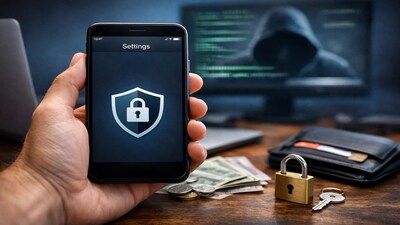
Cyber fraudsters exploit banking and personal details stored on smartphones.
•
The 'Unknown Sources' setting on Android phones allows installation of APK files from outside the Google Play Store.
•
Malware is often embedded in these APK files, leading to data and money theft.
•
Keeping 'Unknown Sources' off prevents your phone from installing apps from unreliable sources.
•
Always download apps only from trusted sources like the Google Play Store to avoid malware risks.
Read Full Article on News18 in Marathi
✦
More like this
✦
More like this
Perseus Android Malware Targets Note Apps, Steals Data: Stay Safe!
M
Moneycontrol
Galaxy S26 Ultra Unveils Privacy Display: Stop Prying Eyes with New Feature
N
News18
Android AI Apps Pose Security Risk: Health Data Vulnerable to Theft
N
News18
Android Security Alert: Install March 2026 Update Now to Fix 129 Vulnerabilities
N
News18
Samsung Galaxy S26 Ultra: Privacy Display Limits Side-Angle Viewing
N
News18
Galaxy S26 Series: Samsung Ushers in New Era of Privacy & Agentic AI with 'Privacy Display'
N
News18